Unlock User
1.From the Home page, click on the  button. It will open the User Directory page.
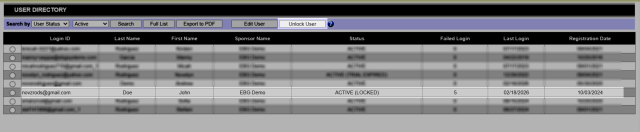
2.From the User Directory list, select a user with “ACTIVE (LOCKED)” status whose account you want to unlock.
3.Click on the _unlockuser.jpg) button. A message will be displayed confirming that the user's account has been unlocked.
button. A message will be displayed confirming that the user's account has been unlocked.